
Written: Mid/Late 2000s
This is based off the help BobaFett gave me in 2006 when I asked how to do this. I can not provide support for any issues you may have with this tutorial.
Tools
- Quake Army Knife (QuArK)
- GtkRadiant 1.5
- File archiver (Such as 7zip or NanaZip)
This tutorial assumes you have previous mapping/modding experience and understand what entities are as well as how to place them on a map via co-ordinates. This tutorial is very brief and may take some experimenting to get it just the way you want it.
In this example, we’ll add some effects to the map FFA3 (Tatooine). First, extract the .bsp file from the Assets0.pk3 located in your base folder and put it in your GTKRadiant directory, usually located in Program Files.
Open the .bsp file in QuArK which will now show you the contents of the ffa3.bsp file. Save the entities file to the GTKRadiant directory as well as ffa3.ent (Plain text file with the extension changed from .txt to .ent), you will now have ffa3.ent and ffa3.bsp in your GTKRadiant.
Now, all you need to do is edit that .ent file with a text editor and add your own entities. You may feel familiar with this file as it is very similar to the GTKRadiant entities window.
Once you’re done adding your own entities, save the file and close the file. You should see a file in that directory called q3map2 which is a compiler that can replace entities from the original .bsp with your new .ent file (See why it’s called Quake Army Knife now tongue.png?).
Open q3map2, this will launch a command prompt.
After that, you use the q3map2 compiler to replace the entities by the ones in the ent file using this command:
q3map2.exe -v -game ja -onlyents
There IS an alternate method which may be easier if you don’t understand the above instructions.
Open Notepad or a similar editor and paste the following code:
@[member=’Echo’] off
cls
title Entity Recompiler – Wrapper made by BobaFett
echo q3map2 entity recompile wrapper
echo by BobaFett
echo.
m:
cd X:\Program Files\GtkRadiant 1.5.0
q3map2.exe -v -game ja -onlyents %1
echo.
echo Compiling finished, press any key to close this window
pause>nul
Replace X:\Program Files\GtkRadiant 1.5.0 with the path to your GTKRadiant directory then save it as EntityCompiler.bat and place it in your GTKRadiant directory alongside your ffa3.bsp and ffa3.ent files. Now drag your ffa3.ent file and drop it over your newly created EntityCompiler.bat file. This will launch a command prompt and begin inserting the .ent file into the .bsp
The time it takes depends on the map itself, some take a few seconds whereas some may take minutes. This is unrelated to the amount of entities you may have added.
When the compiler has finished, the ffa3.bsp will now contain the entities you gave it! Make a .pk3 file and put your .bsp in it, remember to represent the directory it came from in your assets e.g. EditedFFA3.pk3 > maps > mp
Please note that the pk3 should be placed on a game server and not in your own personal base folder, otherwise only you will to see the entities.
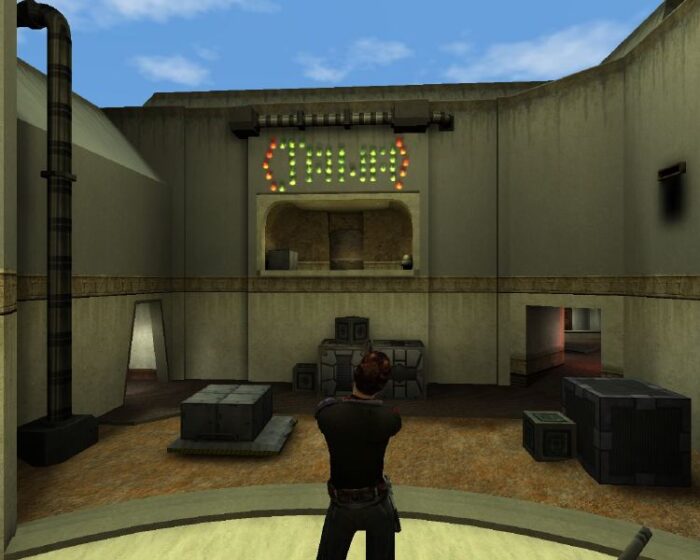
Example: Using fx_runner entities